 althaea.zone
ninjabrain-bot Home Manager Module#
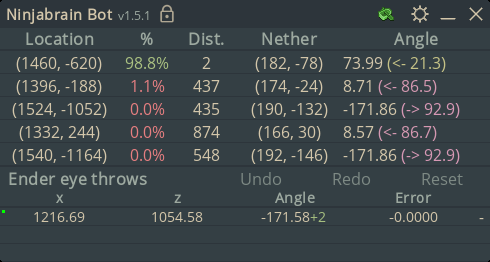
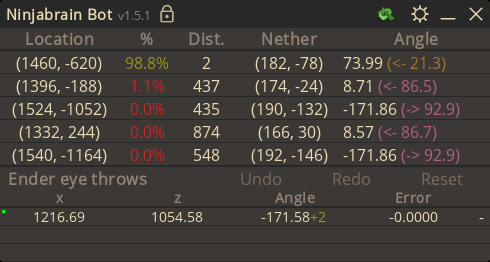
Home Manager Module for Ninjabrain-Bot w/ Stylix support.
By default the package comes from uku's mcsr-nixos flake.
The math to do with the "Location" of hotkeys was kind of confusing to implement and may be incorrect. If ninjabrain bot has weird hexadecimal values in place of the keys you expect please create an issue!!
Generating Base16 Ninjabrain-Bot Themes#
The following command will generate a ninjabrain-bot encoded theme string from any base16 theme yaml:
$ cat $(nix build nixpkgs#base16-schemes --print-out-paths --no-link)/share/themes/catppuccin-frappe.yaml \
    | nix run nixpkgs#yq -- -y ".palette" \
    | nix run https://tangled.org/althaea.zone/ninjabrain-bot-nix/archive/trunk#serializer
Gallery#

Examples#
This can be used as a flake as:
inputs = {
    ninjabrain-bot = {
      url = "https://tangled.org/althaea.zone/ninjabrain-bot-nix/archive/trunk";
    };
};
Here is an example configuration:
# home.nix
{ inputs, ... }:
{
  imports = [ inputs.ninjabrain-bot.homeModules.default ];

  programs.ninjabrain-bot = {
    enable = true;
    stylix = true;
    settings = {
      hotkey_decrement.key = 57419; # "right"
      hotkey_increment.key = 57421; # "left"

      hotkey_lock.key = 23; # "i"
      hotkey_reset = {
        key = 19; # "r"
        modifiers = [ "ALT_L" ];
      };

      view = "detailed";
      all_advancements = false;
      mc_version = "pre_119";
      sensitivity = 0.02291165;

      default_boat_type = "green";
      alt_clipboard_reader = false;
      angle_adjustment_display_type = "increments";
      angle_adjustment_type = "tall";
      auto_reset = false;
      color_negative_coords = false;
      direction_help_enabled = true;
      show_angle_errors = true;
      show_angle_updates = true;
      sigma_boat = 0.0007;
      stronghold_display_type = "fourfour";
      use_adv_statistics = true;
      use_precise_angle = true;

      enable_http_server = true;
    };
  };
}
Home Manager Options#
programs.ninjabrain-bot.enable#
Whether to enable ninjabrain-bot.
Type: boolean
Default:
false
Example:
true
programs.ninjabrain-bot.package#
The ninjabrain-bot package to use. Default’s to uku’s ninjabrain-bot package. Setting to null will skip installing the package.
Type: null or package
Default:
mcsrPkgs.ninjabrain-bot
programs.ninjabrain-bot.additional_custom_themes#
List of custom themes.
Obtaining a theme string is quite hard and it’s recommended you create one in the GUI first then copying it manually from the preferences file.
Ninjabrain-bot separates themes by a ..
Type: list of (submodule)
Default:
[ ]
programs.ninjabrain-bot.additional_custom_themes.*.name#
Name of the theme. Must not contain a .
Type: string matching the pattern ^[^.]*$
programs.ninjabrain-bot.additional_custom_themes.*.value#
Theme colours encoded string. Find by creating the theme in the GUI then copying it from the preferences file.
Must not contain a ..
Type: string matching the pattern ^[^.]*$
programs.ninjabrain-bot.force#
Ninjabrain-bot will wipe the symlink to the nix store in it’s config file, so this option exists to always force and overwrite the file back into place.
Type: boolean
Default:
false
programs.ninjabrain-bot.settings#
Settings for ninjabrain-bot
Type: submodule
Default:
{ }
programs.ninjabrain-bot.settings.enable_http_server#
Enable the HTTP API server
Type: boolean
Default:
false
programs.ninjabrain-bot.settings.aa_toggle_type#
When translated to XML, this option is turned into an integer,
with 0 being “automatic”, and 1 being “hotkey”.
Type: one of “automatic”, “hotkey”
Default:
"automatic"
programs.ninjabrain-bot.settings.all_advancements#
This option has no description.
Type: boolean
Default:
false
programs.ninjabrain-bot.settings.alt_clipboard_reader#
Whether or not to use the ‘alternative clipboard reader’
Type: boolean
Default:
false
programs.ninjabrain-bot.settings.always_on_top#
This option has no description.
Type: boolean
Default:
true
programs.ninjabrain-bot.settings.angle_adjustment_display_type#
When translated to XML, this option is turned into an integer,
with 0 being “angle_change”, and 1 being “increments”.
Type: one of “angle_change”, “increments”
Default:
"angle_change"
programs.ninjabrain-bot.settings.angle_adjustment_type#
When translated to XML, this option is turned into an integer,
with 0 being “subpixel”, 1 being “tall”, and so on.
Type: one of “subpixel”, “tall”, “custom”
Default:
"subpixel"
programs.ninjabrain-bot.settings.auto_reset#
Automatically reset the calculator after some period of time.
Type: boolean
Default:
false
programs.ninjabrain-bot.settings.auto_reset_on_instance_change#
This option has no description.
Type: boolean
Default:
false
programs.ninjabrain-bot.settings.boat_error#
This option has no description.
Type: integer or floating point number between 0 and 0.7 (both inclusive)
Default:
0.03
programs.ninjabrain-bot.settings.check_for_updates#
This option has no description.
Type: boolean
Default:
true
programs.ninjabrain-bot.settings.color_negative_coords#
This option has no description.
Type: boolean
Default:
false
programs.ninjabrain-bot.settings.combined_offset_information_enabled#
This option has no description.
Type: boolean
Default:
true
programs.ninjabrain-bot.settings.crosshair_correction#
This option has no description.
Type: integer or floating point number between -1 and 1 (both inclusive)
Default:
0
programs.ninjabrain-bot.settings.custom_adjustment#
This option has no description.
Type: integer or floating point number between 0 and 1 (both inclusive)
Default:
0.01
programs.ninjabrain-bot.settings.default_boat_type#
When translated to XML, this option is turned into an integer,
with 0 being “gray”, 1 being “blue”, and so on.
Type: one of “gray”, “blue”, “green”
Default:
"gray"
programs.ninjabrain-bot.settings.direction_help_enabled#
This option has no description.
Type: boolean
Default:
false
programs.ninjabrain-bot.settings.hotkey_alt_std#
Hotkey for alt_std
Type: null or (submodule)
Default:
null
programs.ninjabrain-bot.settings.hotkey_alt_std.key#
Integer keycode.
These can be obtained by finding the key from the list of constants at https://javadoc.io/doc/com.1stleg/jnativehook/2.0.2/constant-values.html.
For example, the key “A” corresponds to the field “VC_A”, which has the value 30, so you should set this value to 30.
The key “R” would correspond to “VC_R”, F6 to “VC_F6”, etc.
Type: signed integer
Example:
19
programs.ninjabrain-bot.settings.hotkey_alt_std.location#
The location of the key.
If you want to refer to ‘0’ on your numpad, you would set this value to NUMPAD. Most of the time, the default is what you want.
Type: one of “STANDARD”, “RIGHT”, “NUMPAD”, “LEFT”, “UNKNOWN”
Default:
"UNKNOWN"
programs.ninjabrain-bot.settings.hotkey_alt_std.modifiers#
List of modifier keys.
Type: list of (one of “ALT_L”, “ALT_R”, “CTRL_L”, “CTRL_R”, “META_L”, “META_R”, “SHIFT_L”, “SHIFT_R”)
Default:
[ ]
Example:
[
  "CTRL_L"
]
programs.ninjabrain-bot.settings.hotkey_boat#
Hotkey for boat
Type: null or (submodule)
Default:
null
programs.ninjabrain-bot.settings.hotkey_boat.key#
Integer keycode.
These can be obtained by finding the key from the list of constants at https://javadoc.io/doc/com.1stleg/jnativehook/2.0.2/constant-values.html.
For example, the key “A” corresponds to the field “VC_A”, which has the value 30, so you should set this value to 30.
The key “R” would correspond to “VC_R”, F6 to “VC_F6”, etc.
Type: signed integer
Example:
19
programs.ninjabrain-bot.settings.hotkey_boat.location#
The location of the key.
If you want to refer to ‘0’ on your numpad, you would set this value to NUMPAD. Most of the time, the default is what you want.
Type: one of “STANDARD”, “RIGHT”, “NUMPAD”, “LEFT”, “UNKNOWN”
Default:
"UNKNOWN"
programs.ninjabrain-bot.settings.hotkey_boat.modifiers#
List of modifier keys.
Type: list of (one of “ALT_L”, “ALT_R”, “CTRL_L”, “CTRL_R”, “META_L”, “META_R”, “SHIFT_L”, “SHIFT_R”)
Default:
[ ]
Example:
[
  "CTRL_L"
]
programs.ninjabrain-bot.settings.hotkey_decrement#
Hotkey for decrement
Type: null or (submodule)
Default:
null
programs.ninjabrain-bot.settings.hotkey_decrement.key#
Integer keycode.
These can be obtained by finding the key from the list of constants at https://javadoc.io/doc/com.1stleg/jnativehook/2.0.2/constant-values.html.
For example, the key “A” corresponds to the field “VC_A”, which has the value 30, so you should set this value to 30.
The key “R” would correspond to “VC_R”, F6 to “VC_F6”, etc.
Type: signed integer
Example:
19
programs.ninjabrain-bot.settings.hotkey_decrement.location#
The location of the key.
If you want to refer to ‘0’ on your numpad, you would set this value to NUMPAD. Most of the time, the default is what you want.
Type: one of “STANDARD”, “RIGHT”, “NUMPAD”, “LEFT”, “UNKNOWN”
Default:
"UNKNOWN"
programs.ninjabrain-bot.settings.hotkey_decrement.modifiers#
List of modifier keys.
Type: list of (one of “ALT_L”, “ALT_R”, “CTRL_L”, “CTRL_R”, “META_L”, “META_R”, “SHIFT_L”, “SHIFT_R”)
Default:
[ ]
Example:
[
  "CTRL_L"
]
programs.ninjabrain-bot.settings.hotkey_increment#
Hotkey for increment
Type: null or (submodule)
Default:
null
programs.ninjabrain-bot.settings.hotkey_increment.key#
Integer keycode.
These can be obtained by finding the key from the list of constants at https://javadoc.io/doc/com.1stleg/jnativehook/2.0.2/constant-values.html.
For example, the key “A” corresponds to the field “VC_A”, which has the value 30, so you should set this value to 30.
The key “R” would correspond to “VC_R”, F6 to “VC_F6”, etc.
Type: signed integer
Example:
19
programs.ninjabrain-bot.settings.hotkey_increment.location#
The location of the key.
If you want to refer to ‘0’ on your numpad, you would set this value to NUMPAD. Most of the time, the default is what you want.
Type: one of “STANDARD”, “RIGHT”, “NUMPAD”, “LEFT”, “UNKNOWN”
Default:
"UNKNOWN"
programs.ninjabrain-bot.settings.hotkey_increment.modifiers#
List of modifier keys.
Type: list of (one of “ALT_L”, “ALT_R”, “CTRL_L”, “CTRL_R”, “META_L”, “META_R”, “SHIFT_L”, “SHIFT_R”)
Default:
[ ]
Example:
[
  "CTRL_L"
]
programs.ninjabrain-bot.settings.hotkey_lock#
Hotkey for lock
Type: null or (submodule)
Default:
null
programs.ninjabrain-bot.settings.hotkey_lock.key#
Integer keycode.
These can be obtained by finding the key from the list of constants at https://javadoc.io/doc/com.1stleg/jnativehook/2.0.2/constant-values.html.
For example, the key “A” corresponds to the field “VC_A”, which has the value 30, so you should set this value to 30.
The key “R” would correspond to “VC_R”, F6 to “VC_F6”, etc.
Type: signed integer
Example:
19
programs.ninjabrain-bot.settings.hotkey_lock.location#
The location of the key.
If you want to refer to ‘0’ on your numpad, you would set this value to NUMPAD. Most of the time, the default is what you want.
Type: one of “STANDARD”, “RIGHT”, “NUMPAD”, “LEFT”, “UNKNOWN”
Default:
"UNKNOWN"
programs.ninjabrain-bot.settings.hotkey_lock.modifiers#
List of modifier keys.
Type: list of (one of “ALT_L”, “ALT_R”, “CTRL_L”, “CTRL_R”, “META_L”, “META_R”, “SHIFT_L”, “SHIFT_R”)
Default:
[ ]
Example:
[
  "CTRL_L"
]
programs.ninjabrain-bot.settings.hotkey_minimize#
Hotkey for minimize
Type: null or (submodule)
Default:
null
programs.ninjabrain-bot.settings.hotkey_minimize.key#
Integer keycode.
These can be obtained by finding the key from the list of constants at https://javadoc.io/doc/com.1stleg/jnativehook/2.0.2/constant-values.html.
For example, the key “A” corresponds to the field “VC_A”, which has the value 30, so you should set this value to 30.
The key “R” would correspond to “VC_R”, F6 to “VC_F6”, etc.
Type: signed integer
Example:
19
programs.ninjabrain-bot.settings.hotkey_minimize.location#
The location of the key.
If you want to refer to ‘0’ on your numpad, you would set this value to NUMPAD. Most of the time, the default is what you want.
Type: one of “STANDARD”, “RIGHT”, “NUMPAD”, “LEFT”, “UNKNOWN”
Default:
"UNKNOWN"
programs.ninjabrain-bot.settings.hotkey_minimize.modifiers#
List of modifier keys.
Type: list of (one of “ALT_L”, “ALT_R”, “CTRL_L”, “CTRL_R”, “META_L”, “META_R”, “SHIFT_L”, “SHIFT_R”)
Default:
[ ]
Example:
[
  "CTRL_L"
]
programs.ninjabrain-bot.settings.hotkey_mod_360#
Hotkey for mod_360
Type: null or (submodule)
Default:
null
programs.ninjabrain-bot.settings.hotkey_mod_360.key#
Integer keycode.
These can be obtained by finding the key from the list of constants at https://javadoc.io/doc/com.1stleg/jnativehook/2.0.2/constant-values.html.
For example, the key “A” corresponds to the field “VC_A”, which has the value 30, so you should set this value to 30.
The key “R” would correspond to “VC_R”, F6 to “VC_F6”, etc.
Type: signed integer
Example:
19
programs.ninjabrain-bot.settings.hotkey_mod_360.location#
The location of the key.
If you want to refer to ‘0’ on your numpad, you would set this value to NUMPAD. Most of the time, the default is what you want.
Type: one of “STANDARD”, “RIGHT”, “NUMPAD”, “LEFT”, “UNKNOWN”
Default:
"UNKNOWN"
programs.ninjabrain-bot.settings.hotkey_mod_360.modifiers#
List of modifier keys.
Type: list of (one of “ALT_L”, “ALT_R”, “CTRL_L”, “CTRL_R”, “META_L”, “META_R”, “SHIFT_L”, “SHIFT_R”)
Default:
[ ]
Example:
[
  "CTRL_L"
]
programs.ninjabrain-bot.settings.hotkey_redo#
Hotkey for redo
Type: null or (submodule)
Default:
null
programs.ninjabrain-bot.settings.hotkey_redo.key#
Integer keycode.
These can be obtained by finding the key from the list of constants at https://javadoc.io/doc/com.1stleg/jnativehook/2.0.2/constant-values.html.
For example, the key “A” corresponds to the field “VC_A”, which has the value 30, so you should set this value to 30.
The key “R” would correspond to “VC_R”, F6 to “VC_F6”, etc.
Type: signed integer
Example:
19
programs.ninjabrain-bot.settings.hotkey_redo.location#
The location of the key.
If you want to refer to ‘0’ on your numpad, you would set this value to NUMPAD. Most of the time, the default is what you want.
Type: one of “STANDARD”, “RIGHT”, “NUMPAD”, “LEFT”, “UNKNOWN”
Default:
"UNKNOWN"
programs.ninjabrain-bot.settings.hotkey_redo.modifiers#
List of modifier keys.
Type: list of (one of “ALT_L”, “ALT_R”, “CTRL_L”, “CTRL_R”, “META_L”, “META_R”, “SHIFT_L”, “SHIFT_R”)
Default:
[ ]
Example:
[
  "CTRL_L"
]
programs.ninjabrain-bot.settings.hotkey_reset#
Hotkey for reset
Type: null or (submodule)
Default:
null
programs.ninjabrain-bot.settings.hotkey_reset.key#
Integer keycode.
These can be obtained by finding the key from the list of constants at https://javadoc.io/doc/com.1stleg/jnativehook/2.0.2/constant-values.html.
For example, the key “A” corresponds to the field “VC_A”, which has the value 30, so you should set this value to 30.
The key “R” would correspond to “VC_R”, F6 to “VC_F6”, etc.
Type: signed integer
Example:
19
programs.ninjabrain-bot.settings.hotkey_reset.location#
The location of the key.
If you want to refer to ‘0’ on your numpad, you would set this value to NUMPAD. Most of the time, the default is what you want.
Type: one of “STANDARD”, “RIGHT”, “NUMPAD”, “LEFT”, “UNKNOWN”
Default:
"UNKNOWN"
programs.ninjabrain-bot.settings.hotkey_reset.modifiers#
List of modifier keys.
Type: list of (one of “ALT_L”, “ALT_R”, “CTRL_L”, “CTRL_R”, “META_L”, “META_R”, “SHIFT_L”, “SHIFT_R”)
Default:
[ ]
Example:
[
  "CTRL_L"
]
programs.ninjabrain-bot.settings.hotkey_toggle_aa_mode#
Hotkey for toggle_aa_mode
Type: null or (submodule)
Default:
null
programs.ninjabrain-bot.settings.hotkey_toggle_aa_mode.key#
Integer keycode.
These can be obtained by finding the key from the list of constants at https://javadoc.io/doc/com.1stleg/jnativehook/2.0.2/constant-values.html.
For example, the key “A” corresponds to the field “VC_A”, which has the value 30, so you should set this value to 30.
The key “R” would correspond to “VC_R”, F6 to “VC_F6”, etc.
Type: signed integer
Example:
19
programs.ninjabrain-bot.settings.hotkey_toggle_aa_mode.location#
The location of the key.
If you want to refer to ‘0’ on your numpad, you would set this value to NUMPAD. Most of the time, the default is what you want.
Type: one of “STANDARD”, “RIGHT”, “NUMPAD”, “LEFT”, “UNKNOWN”
Default:
"UNKNOWN"
programs.ninjabrain-bot.settings.hotkey_toggle_aa_mode.modifiers#
List of modifier keys.
Type: list of (one of “ALT_L”, “ALT_R”, “CTRL_L”, “CTRL_R”, “META_L”, “META_R”, “SHIFT_L”, “SHIFT_R”)
Default:
[ ]
Example:
[
  "CTRL_L"
]
programs.ninjabrain-bot.settings.hotkey_undo#
Hotkey for undo
Type: null or (submodule)
Default:
null
programs.ninjabrain-bot.settings.hotkey_undo.key#
Integer keycode.
These can be obtained by finding the key from the list of constants at https://javadoc.io/doc/com.1stleg/jnativehook/2.0.2/constant-values.html.
For example, the key “A” corresponds to the field “VC_A”, which has the value 30, so you should set this value to 30.
The key “R” would correspond to “VC_R”, F6 to “VC_F6”, etc.
Type: signed integer
Example:
19
programs.ninjabrain-bot.settings.hotkey_undo.location#
The location of the key.
If you want to refer to ‘0’ on your numpad, you would set this value to NUMPAD. Most of the time, the default is what you want.
Type: one of “STANDARD”, “RIGHT”, “NUMPAD”, “LEFT”, “UNKNOWN”
Default:
"UNKNOWN"
programs.ninjabrain-bot.settings.hotkey_undo.modifiers#
List of modifier keys.
Type: list of (one of “ALT_L”, “ALT_R”, “CTRL_L”, “CTRL_R”, “META_L”, “META_R”, “SHIFT_L”, “SHIFT_R”)
Default:
[ ]
Example:
[
  "CTRL_L"
]
programs.ninjabrain-bot.settings.language_v2#
Language code. Leave to default for the system language.
Type: string
Default:
""
programs.ninjabrain-bot.settings.mc_version#
When translated to XML, this option is turned into an integer,
with 0 being “pre_119”, and 1 being “post_119”.
Type: one of “pre_119”, “post_119”
Default:
"pre_119"
programs.ninjabrain-bot.settings.mismeasure_warning_enabled#
This option has no description.
Type: boolean
Default:
false
programs.ninjabrain-bot.settings.one_dot_twenty_plus_aa#
This option has no description.
Type: boolean
Default:
false
programs.ninjabrain-bot.settings.overlay_auto_hide#
This option has no description.
Type: boolean
Default:
false
programs.ninjabrain-bot.settings.overlay_hide_delay#
This option has no description.
Type: integer or floating point number between 1 and 3600 (both inclusive)
Default:
30.0
programs.ninjabrain-bot.settings.overlay_lock_hide#
This option has no description.
Type: boolean
Default:
false
programs.ninjabrain-bot.settings.portal_linking_warning_enabled#
This option has no description.
Type: boolean
Default:
true
programs.ninjabrain-bot.settings.resolution_height#
This option has no description.
Type: integer or floating point number between 1 and 16384 (both inclusive)
Default:
16384
programs.ninjabrain-bot.settings.save_state#
This option has no description.
Type: boolean
Default:
true
programs.ninjabrain-bot.settings.sensitivity#
This option has no description.
Type: integer or floating point number between 0 and 1 (both inclusive)
Default:
0.012727597
programs.ninjabrain-bot.settings.sensitivity_manual#
This option has no description.
Type: integer or floating point number between 0 and 1 (both inclusive)
Default:
0.4341732
programs.ninjabrain-bot.settings.show_angle_errors#
This option has no description.
Type: boolean
Default:
false
programs.ninjabrain-bot.settings.show_angle_updates#
This option has no description.
Type: boolean
Default:
false
programs.ninjabrain-bot.settings.show_nether_coords#
This option has no description.
Type: boolean
Default:
true
programs.ninjabrain-bot.settings.sigma#
This option has no description.
Type: integer or floating point number between 0.001 and 1 (both inclusive)
Default:
0.1
programs.ninjabrain-bot.settings.sigma_alt#
This option has no description.
Type: integer or floating point number between 0.001 and 1 (both inclusive)
Default:
0.1
programs.ninjabrain-bot.settings.sigma_boat#
This option has no description.
Type: integer or floating point number between 0.0001 and 1 (both inclusive)
Default:
0.001
programs.ninjabrain-bot.settings.sigma_manual#
This option has no description.
Type: integer or floating point number between 0.001 and 1 (both inclusive)
Default:
0.03
programs.ninjabrain-bot.settings.size#
When translated to XML, this option is turned into an integer,
with 0 being “small”, 1 being “medium”, and so on.
Type: one of “small”, “medium”, “large”
Default:
"small"
programs.ninjabrain-bot.settings.stronghold_display_type#
When translated to XML, this option is turned into an integer,
with 0 being “fourfour”, 1 being “eighteight”, and so on.
Type: one of “fourfour”, “eighteight”, “chunk”
Default:
"fourfour"
programs.ninjabrain-bot.settings.theme#
Theme index.
Positive values refer to the builtin themes that come with ninjabrain bot.
Negative values refer to custom themes, backwards. -1 would refer to the first custom theme, -2 the second, and so on.
Type: signed integer
Default:
1
programs.ninjabrain-bot.settings.translucent#
This option has no description.
Type: boolean
Default:
false
programs.ninjabrain-bot.settings.use_adv_statistics#
This option has no description.
Type: boolean
Default:
true
programs.ninjabrain-bot.settings.use_alt_std#
This option has no description.
Type: boolean
Default:
false
programs.ninjabrain-bot.settings.use_obs_overlay#
This option has no description.
Type: boolean
Default:
false
programs.ninjabrain-bot.settings.use_precise_angle#
This option has no description.
Type: boolean
Default:
false
programs.ninjabrain-bot.settings.view#
When translated to XML, this option is turned into an integer,
with 0 being “basic”, and 1 being “detailed”.
Type: one of “basic”, “detailed”
Default:
"basic"
programs.ninjabrain-bot.settings.window_x#
Window X position
Type: signed integer
Default:
100
programs.ninjabrain-bot.settings.window_y#
Window Y position
Type: signed integer
Default:
100
programs.ninjabrain-bot.stylix#
Whether to enable style ninjabrain-bot with stylix.
Type: boolean
Default:
false
Example:
true