# Status Widget
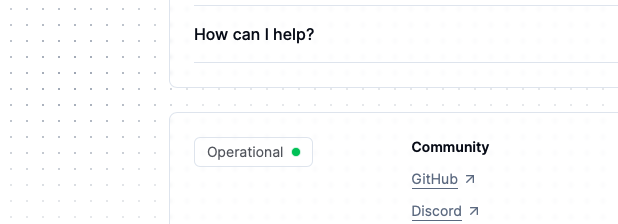
Create an account on [openstatus.dev](https://openstatus.dev), start monitoring
your endpoints and include your own StatusWidget into your React Application.
## Install
```bash
npm install @openstatus/react
pnpm add @openstatus/react
yarn add @openstatus/react
bun add @openstatus/react
```
## How to use the StatusWidget in your Next.js App Router
### Include the styles.css
If you are using tailwind, extend your config with:
```js
// tailwind.config.js
module.exports = {
content: [
"./app/**/*.{tsx,ts,mdx,md}",
// OpenStatus Widget
"./node_modules/@openstatus/react/**/*.{js,ts,jsx,tsx}",
],
theme: {
extend: {},
},
plugins: [],
};
```
Otherwise, include the styles in your App:
```tsx
// app/layout.tsx
import "@openstatus/react/dist/styles.css";
```
The `StatusWidget` is a React Server Component. Include the `slug` to your
status-page.
```tsx
import { StatusWidget } from "@openstatus/react";
export function Page() {
return ;
}
```
## Headless getStatus utility function
If you would like to style it yourself, you can use the `getStatus` function to
access the type response of the api call to:
`https://api.openstatus.dev/public/status/:slug`
Learn more about our supported
[API endpoints](https://docs.openstatus.dev/api-reference/auth).
```ts
import { getStatus } from "@openstatus/react";
// React Server Component
async function CustomStatusWidget() {
const res = await getStatus("slug");
// ^StatusResponse = { status: Status }
const { status } = res;
// ^Status = "unknown" | "operational" | "degraded_performance" | "partial_outage" | "major_outage" | "under_maintenance"
return {/* customize */}
;
}
```
```ts
export type Status =
| "operational"
| "degraded_performance"
| "partial_outage"
| "major_outage"
| "under_maintenance"
| "unknown"
| "incident";
```
Learn more in the [docs](https://docs.openstatus.dev/packages/react).
### About OpenStatus
OpenStatus is an open source monitoring services with incident managements.
Follow our journey [@openstatusHQ](https://x.com/openstatusHQ).