 jcs.org
A tiling window manager
1## sdorfehs
2<img src="https://jcs.org/images/sdorfehs-300.jpg" align="right">
3
4#### (pronounced "starfish")
5
6sdorfehs is a tiling window manager descended from
7[ratpoison](https://www.nongnu.org/ratpoison/)
8(which itself is modeled after
9[GNU Screen](https://www.gnu.org/software/screen/)).
10
11sdorfehs divides the screen into one or more frames, each only displaying
12one window at a time but can cycle through all available windows (those
13which are not being shown in another frame).
14
15Like Screen, sdorfehs primarily uses prefixed/modal key bindings for most
16actions.
17sdorfehs's command mode is entered with a configurable keystroke
18(`Control+a` by default) which then allows a number of bindings accessible
19with just a single keystroke or any other combination.
20For example, to cycle through available windows in a frame, press
21`Control+a` then `n`.
22
23### License
24
25sdorfehs retains ratpoison's GPL2 license.
26
27### Compiling
28
29Run `make` to compile, and `make install` to install to `/usr/local` by
30default.
31
32### Wiki
33
34The
35[sdorfehs Wiki](https://github.com/jcs/sdorfehs/wiki)
36has tips and tricks, and information on troubleshooting problems.
37
38## Features
39
40sdorfehs retains most of ratpoison's features while adding some more modern
41touches.
42
43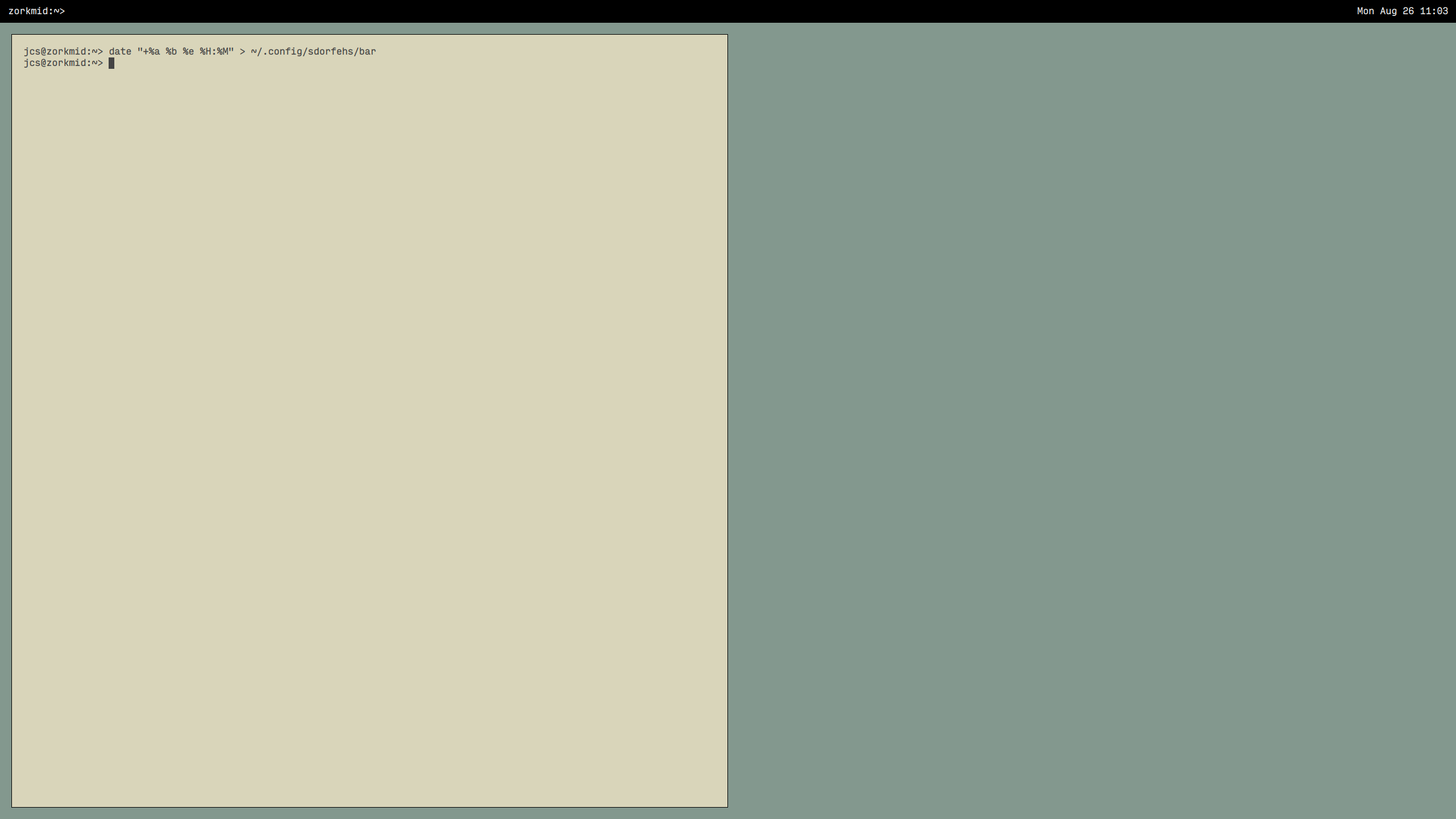
44
45### EWMH
46
47sdorfehs strives to be a bit more
48[EWMH](https://specifications.freedesktop.org/wm-spec/wm-spec-latest.html)
49compliant, supporting Atoms such as `_NET_ACTIVE_WINDOW` for compositors
50to dim unfocused windows, and `_NET_WM_STATE_FULLSCREEN` to allow full-screen
51programs like VLC and Firefox to take over the entire screen when requested
52(though still allowing the standard key bindings to switch windows or kill
53the program).
54
55### Virtual Screens
56
57sdorfehs adds virtual screens which each have their own frame configuration
58and set of windows.
59Windows can be moved between virtual screens with `vmove`.
60By default, virtual screens can be selected (via the `vselect` command)
61with `Control+a, F1` through `Control+a, F12`.
62
63### Bar
64
65sdorfehs has a bar window which displays status messages or the output of
66certain commands.
67By default, this bar is made sticky with the `barsticky` setting which
68forces the bar to be permanently affixed to the top or bottom (configurable
69with the `bargravity` setting) of every virtual screen displaying the
70currently-focused window's title on the left side.
71
72When the bar is sticky, it also enables a mechanism to display arbitrary
73text on the right side, similar to bar programs for other window managers like
74i3bar, dzen2, etc.
75sdorfehs creates a
76[named pipe](https://en.wikipedia.org/wiki/Named_pipe)
77at `~/.config/sdorfehs/bar` and any text input into the pipe shows up on
78the bar, making it easy to integrate with standard utilities which can just
79echo into the pipe.
80For an extremely simple example, a shell script can just echo the output of
81`date` into the pipe once a second.
82
83 while true; do
84 date > ~/.config/sdorfehs/bar
85 sleep 1
86 done
87
88Bar input supports some markup commands from dzen2 in the format
89`^command(details)` which affect the text following the command until the
90command is reset with `^command()`.
91Currently supported commands:
92
93- `^ca(btn,cmd,btn2,cmd2)`: execute `cmd` when mouse button `btn` is clicked on
94this area of text, or `cmd2` if button `btn2` is clicked.
95Closing the area of clickable text can be done with `^ca()`.
96
97- `^fg(color)`: color the text following until the next `^fg()` command.
98A line of text such as `hello ^fg(green)world^fg()!` will color `hello` with
99the default foreground color (`set fgcolor`), then `world` in green, and the
100exclamation point with the default color.
101Colors can be specified as their common name (`blue`) or as a hex code
102(`#0000ff`).
103
104- `^fn(font)`: change the font of the following text.
105Fonts must be specified in Xft format like `set font` such as
106`^fn(noto emoji:size=13)`.
107Resetting to the default font can be done with `^fn()`.
108
109### Gaps
110
111sdorfehs enables a configurable gap (with `set gap`) between frames by
112default to look a bit nicer on larger displays.
113
114### Secure Remote Control
115
116sdorfehs's `-c` command line option uses a more secure IPC mechanism
117than Ratpoison for sending commands to a running sdorfehs process,
118such as a script controlling sdorfehs to restore a particular layout.
119
120Ratpoison's IPC only requires that a process create a new X11 window
121and set an Atom on it, which the parent Ratpoison process reads and
122executes the value of that Atom.
123An unprivileged application that only has an X11 connection (say a
124sandboxed Firefox child process) could set the `RP_COMMAND_REQUEST`
125Atom property on its existing window with a value of `0exec
126something` to cause Ratpoison to read it and execute that shell
127command as the user id running Ratpoison.
128
129sdorfehs's IPC mechanism switches to a Unix socket in the
130`~/.config/sdorfehs` directory which ensures the requesting process
131has the ability to make socket connections and can write to that
132path.